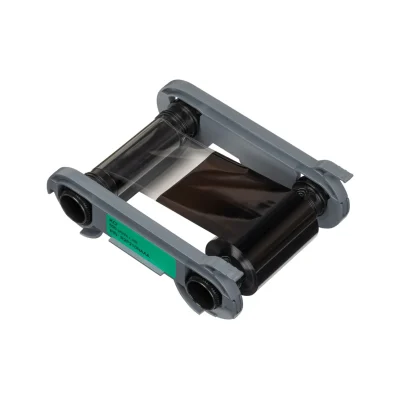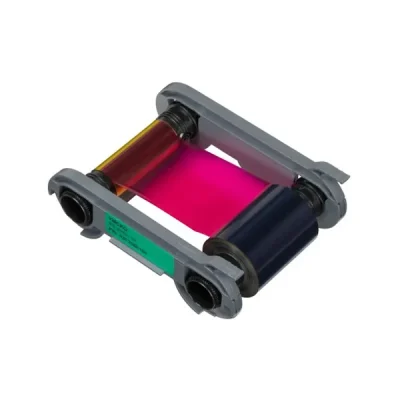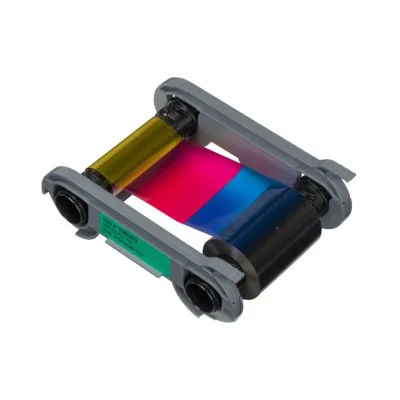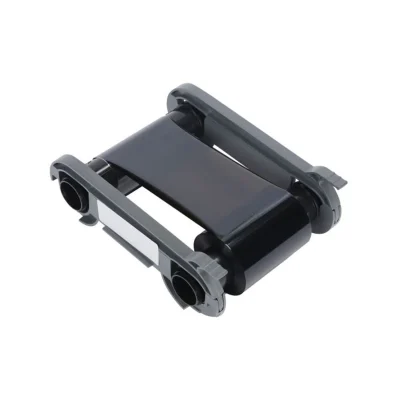
Euro ID Warehouse stocks genuine Evolis ribbons for the Zenius 2 card printer, including YMCKO colour ribbons and monochrome options. These High Trust consumables are designed to maximise print quality and protect your printer’s print head. Orders placed before 3pm ship same day from Ireland, with free delivery available on qualifying orders.
The Evolis Zenius 2 is a compact, single-sided ID card printer capable of producing up to 180 full-colour cards per hour and 700 monochrome cards per hour . It uses direct-to-card dye-sublimation and resin thermal transfer technology to create staff ID cards, visitor badges, and membership cards in-house.
Genuine Evolis High Trust ribbons are specifically engineered for the Zenius 2. They are tested and validated by Evolis R&D to deliver consistent print quality while maximising the lifespan of your printer’s print head. Using third-party ribbons can void your warranty and may produce inferior results with faded colours or poor adhesion.
All ribbons listed on this page are authentic Evolis consumables supplied in drop-in cassettes for quick, clean installation.
Available Ribbons for the Evolis Zenius 2
Evolis R5F202E100 YMCKO Colour Ribbon – 200 Prints
€94.00
The standard full-colour ribbon for the Zenius 2. YMCKO stands for Yellow, Magenta, Cyan, Black, and Overlay. This ribbon produces vibrant full-colour cards with a protective clear overlay that extends card durability and guards against wear.
Print yield: Up to 200 single-sided full-colour cards
Compatible printers: Evolis Zenius 2 and Primacy 2
Best for: Standard staff ID cards, visitor passes, and membership cards with photographs and text
This is the most popular choice for organisations printing small to medium batches of colour ID cards .
Evolis R5H204E100 YMCKO Half Panel Colour Ribbon
€94.00
Half-panel ribbons use shorter colour panels (Y, M, C) while maintaining a full-length black panel and overlay. This design is intended for cards that contain mostly text and barcodes with only a small colour photograph or logo.
Print yield: Approximately 400 cards per roll
Compatible printers: Evolis Zenius 2 and Primacy 2
Best for: Access control cards, time-and-attendance badges, and cards with minimal colour content
The half-panel format delivers cost savings for high-volume applications where full-card colour is unnecessary.
Evolis R2F210NAAA KO Black Ribbon with Overlay
€92.00
A two-panel ribbon consisting of black resin (K) and a clear overlay (O). This ribbon produces sharp black text and barcodes with a protective topcoat.
Print yield: Varies by card design
Compatible printers: Evolis Zenius 2 and Primacy 2
Best for: High-contrast text cards, barcode-heavy access cards, and applications requiring durable black printing
The overlay panel protects the printed surface from abrasion and fading, making it suitable for cards that will be handled frequently.
Evolis RCT223NAAA Black Monochrome Ribbon
€56.00
A pure black resin ribbon for monochrome printing only. No overlay is included with this ribbon.
Print yield: High-volume monochrome output
Compatible printers: Evolis Zenius 2
Best for: Temporary badges, internal-use cards, and high-volume black-only printing where cost per card is the priority
Monochrome ribbons are the most economical option for printing text, barcodes, and simple graphics. Note that cards printed without an overlay have less resistance to scratching and fading over time.
Frequently Asked Questions
Which ribbon should I choose for full-colour staff ID cards?
The R5F202E100 YMCKO ribbon is the standard choice. It provides full-colour printing with a protective overlay for durability. If your card designs use only a small photo or logo and are mostly text, the half-panel YMCKO may reduce your cost per card.
Are these ribbons compatible with both the Zenius 2 and Primacy 2?
Yes. All YMCKO and KO ribbons listed on this page are compatible with both the Evolis Zenius 2 and Evolis Primacy 2 printers. The monochrome black ribbon (RCT223NAAA) is listed for the Zenius 2.
Do these ribbons include the print head cleaning card?
Evolis ribbons are supplied in cassettes. Cleaning cards are typically supplied separately. Regular cleaning is essential to maintain print quality and extend print head life.
How do I install a ribbon in the Zenius 2?
The Zenius 2 uses a drop-in cassette system. Open the printer cover, remove the empty cassette, and insert the new ribbon cassette until it clicks into place. The printer automatically recognises the ribbon type and configures settings accordingly.
What is the difference between YMCKO and YMCKOO?
YMCKO has a single overlay panel. YMCKOO has two overlay panels and is compatible only with the Zenius 2 Expert model, not the Classic. YMCKOO allows for UV effect printing or double overlay for enhanced durability .
Compatibility Note
The Evolis Zenius 2 is available in two versions: Classic (USB only, no encoding) and Expert (USB and Ethernet, encoding options, YMCKOO compatible). Most ribbons on this page work with both versions. Check your printer model before ordering if you require YMCKOO or encoding-specific ribbons.
Evolis uses region-specific ribbon codes. Ensure the ribbon reference matches your printer’s region to avoid compatibility issues.
Showing all 4 results